How to Safely Install and Maintain Home Intercom Systems
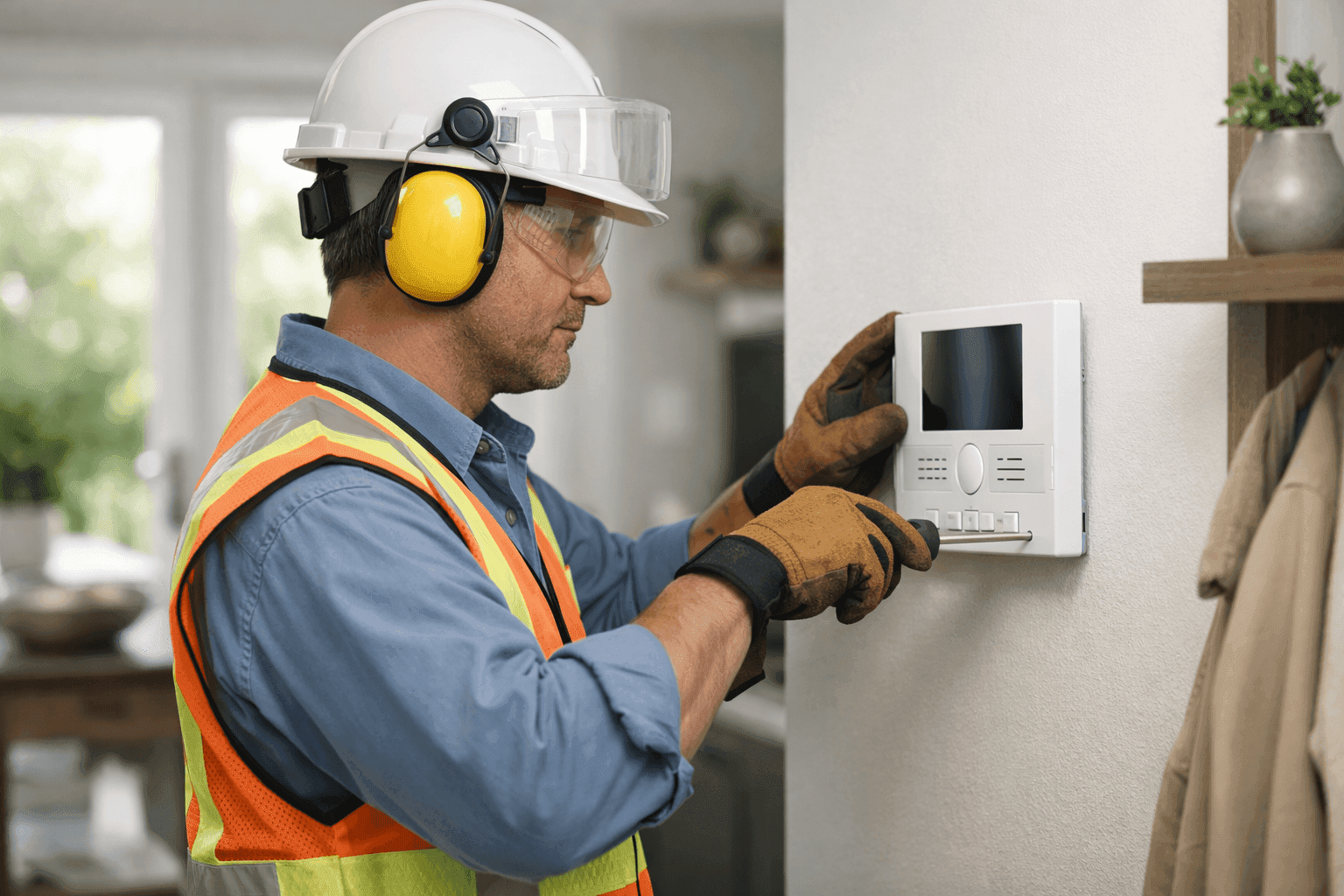
We all want our homes to be secure, connected, and convenient. But when it comes to intercom systems, many homeowners aren’t sure where to start or how to keep everything running smoothly. Whether you’re building new or upgrading old, understanding the safe installation and care of home intercoms is key.
At Angelic Electric, we know the ins and outs of smart home communication. With decades wiring up everything from outlets and switches to sophisticated home automation, our team has seen what happens when intercoms are installed with care—and when shortcuts lead to safety headaches.
Types of Home Intercom Systems
Before you get out the screwdriver, let’s talk about what’s possible. Intercoms aren’t all the same. Picking the right type can be the difference between a useful upgrade and a frustrating hassle. 📞
- Wired intercom systems: Reliable, with clear sound and private lines. Best for new builds or major renovations, since you’ll need to run wires behind the walls.
- Wireless intercoms: Flexible and easy to install. These use radio frequencies or Wi-Fi, making them a good fit for existing homes.
- Video intercom systems: Want to see who’s at the door? Video intercoms add an extra layer of security. They can be wired or wireless.
- Smart intercoms: Integration with your smartphone, home automation, and voice assistants. These are the high-tech option, often with remote unlock and cloud access.
Think about your space, budget, and tech comfort. If you’re unsure, a quick chat with a licensed electrician can help you choose.
Safe Installation Steps
Safety comes first—always. Intercoms run on low voltage, but mistakes can still cause headaches or hazards. Here’s a roadmap to safer installation:
- Read the manual: Every system is different. Don’t skip this step.
- Shut off power: Turn off the relevant breaker before touching any wires.
- Plan your route: For wired systems, map out where units will go. Avoid running cables parallel to high-voltage wiring, which can cause interference.
- Mount securely: Choose solid locations for wall boxes or brackets. Avoid spots with moisture or direct sunlight.
- Wire carefully: Use the correct gauge and type of cable. Check for frayed wires or loose connections. Comply with National Electrical Code (NEC) requirements.
- Test thoroughly: Before buttoning up the walls, check every unit for sound and video quality.
- Restore power: Flip the breaker and verify all units communicate as expected.
It’s like building a bridge—rushing or skipping steps leaves gaps you don’t want.
Quick Safety Checklist
- Power off before you start.
- Use insulated tools.
- Check for hidden pipes or wires before drilling.
- Never splice low- and high-voltage wires together.
- If you ever feel unsure, call a licensed electrician.
DIY vs. Call a Pro
Some intercoms are plug-and-play. Others require cutting drywall and running cables through crawlspaces. If your project involves anything more than swapping batteries or plugging in a wireless unit, it’s smart to bring in an electrician. Complex installations, especially with multiple floors or smart integrations, need a professional touch for code compliance and long-term safety.
What Pros Do On Arrival
At Angelic Electric, we start with a walk-through. We’ll ask about your goals—security, convenience, accessibility. Then we’ll check your electrical panel, wiring condition, and recommend the best intercom options for your home. Installation follows code, and we always test before we finish.
Common Mistakes to Avoid
- Mixing up wires: Incorrect connections can fry your new system or even pose a fire risk.
- Ignoring interference: Placing units too close to Wi-Fi routers can cause static or dropped signals.
- Skipping code requirements: Local codes exist to keep you and your family safe.
- Overlooking power needs: Not all systems are battery-powered—some need dedicated outlets or circuit connections.
Maintenance and Troubleshooting
Like any home system, intercoms need regular attention.
- Dust and clean units gently with a dry cloth.
- Check batteries in wireless stations every six months.
- Inspect wiring for signs of wear, corrosion, or loose connections.
- Test audio/video monthly to catch issues early.
If you hear buzzing, static, or silence—don’t panic. Troubleshooting usually starts with checking connections and power supplies. Still stuck? Reach out for professional help before small problems grow.
Upgrading and Integration Tips
Ready to take your intercom system to the next level? Homes today blend tech like never before:
- Smart home integration: Link your intercom to doorbell cameras, smart locks, or automation hubs.
- Voice assistant compatibility: Some systems work with Alexa, Google Home, or Apple HomeKit.
- Remote access: Get alerts or chat with visitors from anywhere using your phone.
When planning upgrades, ensure your home network can handle the extra devices. Upgrading wiring or adding a dedicated circuit may be necessary—another reason to involve a pro.
When to Call a Pro
- If your system hums, crackles, or fails to connect.
- When you see exposed wires or signs of burning.
- If you’re adding units in tricky spots (multi-story, outdoor, or near water).
- When integrating with other electrical systems like doorbells, security, or lighting.
- For regular safety inspections or code compliance checks.
Remember, working with electricity isn’t like changing a lightbulb. The peace of mind is worth it.
Costs & Time Factors
Intercom system prices range from a few hundred dollars for basic wireless models to several thousand for whole-home, integrated solutions. Installation time can be as quick as an hour for plug-and-play units, or a full day (or two) for extensive wired projects. Factor in location, wall types, and the need for new wiring or electrical panel upgrades.
Signs of Trouble
Be on the lookout for warning signs:
- Units that suddenly stop working
- Poor audio or video quality
- Flickering lights on the control panel
- Burning smells or warm-to-the-touch units
Spotting these early means quicker, safer fixes.
Timeline & Disruption
Worried about mess? Most wireless installations are tidy and quick. Wired upgrades can mean drilling and patching, but pros minimize disruption. We always clean up when we’re done.
Prevention & Seasonal Considerations
Humidity and dust can shorten the life of your intercom. In winter, condensation can affect wiring in exterior walls. Schedule Maintenance checks ahead of seasonal shifts to avoid surprises.
Materials and Equipment
Always use UL-listed wire and components. Avoid off-brand or untested gear—your safety depends on it.
Frequently Asked Questions
Can I install an intercom system myself?
Yes, if it’s wireless and your home layout is simple. For anything involving wiring, call an electrician.
How often should I have my intercom inspected?
Once a year is a good rule of thumb, or whenever you notice issues.
Is it worth integrating my intercom with my smart home?
If you value convenience and security, integration is a smart move.
What’s the best intercom for families with kids?
Look for durable, easy-to-use units—preferably with video so you can see who’s at the door.
For more details on system choices, safety codes, and best practices, check out resources from the National Fire Protection Association (NFPA) and the National Electrical Code (NEC).
Local Expertise Matters
If you’re searching for reliable Installations or want an electrician who’s handled every kind of home intercom, Angelic Electric is here to help. Our team brings decades of experience and a passion for keeping families connected—safely.
Call Angelic Electric now — or reach us anytime at 844-440-1817 .